MOdit
tALtE then Xused?
t quits Google Chrome o0 a Macl
e
topens the search bar in W
tcopies
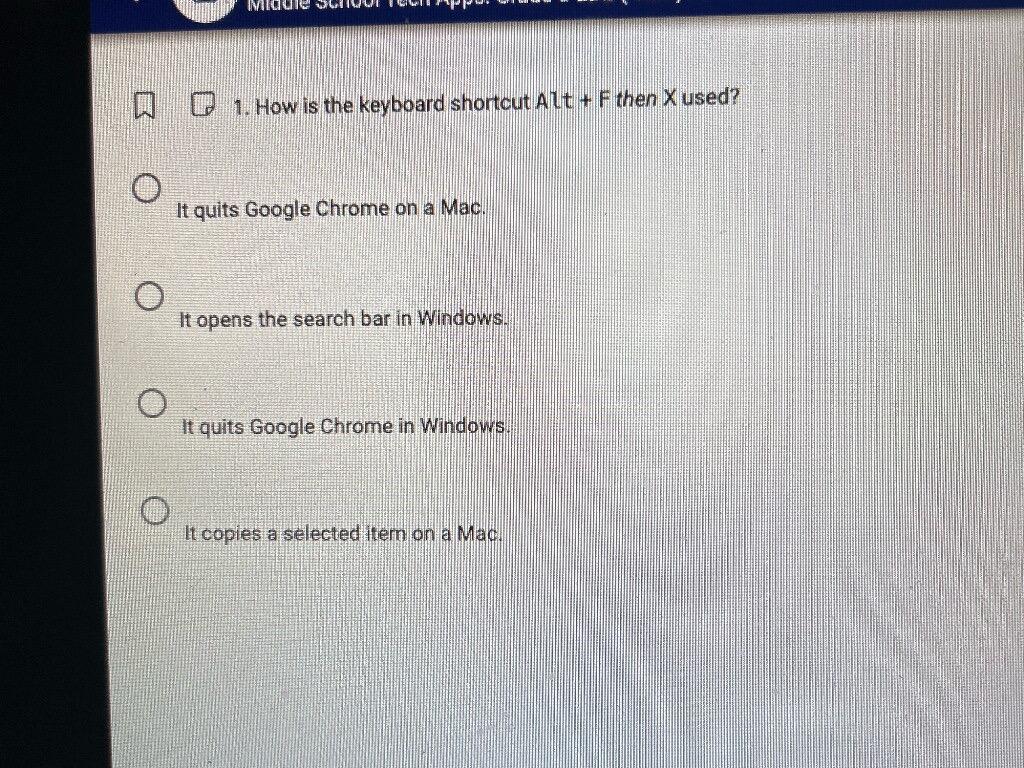
How is the keyboard shortcut Alt + F then X used?
 SOLUTION STEPS:
Step 1 — Analyze Option 1 (“It quits Google Chrome on a Mac.”)
Mac operating systems do not rely on Alt menu sequences for application control. To quit Google Chrome on macOS, the standard shortcut is Command + Q. Therefore, this option is incorrect.
Step 2 — Analyze Option 2 (“It opens the search bar in Windows.”)
Opening the system search bar in Windows is executed using the Windows key + S shortcut, while in-app search bars typically open with Ctrl + F or Ctrl + E. Therefore, this option is incorrect.
Step 3 — Analyze Option 3 (“It quits Google Chrome in Windows.”)
In Google Chrome running on Windows, pressing Alt + F activates the main browser menu (the three-dot menu). Pressing X immediately executes the hotkey for the Exit command, closing all tabs and quitting the browser. Therefore, this option is correct.
Step 4 — Analyze Option 4 (“It copies a selected item on a Mac.”)
Copying a selected item on macOS is performed using Command + C. The Alt + F then X key combination has no clipboard functionality. Therefore, this option is incorrect.
Step 5 — Option Comparison
 Option 1: It quits Google Chrome on a Mac. — Incorrect (
Command + Q is used on macOS).
Option 2: It opens the search bar in Windows. — Incorrect (Windows key + S is used).
 Option 3: It quits Google Chrome in Windows. — Correct (
Alt + F accesses the menu and X triggers Exit).
Option 4: It copies a selected item on a Mac. — Incorrect (Command + C is used to copy).
Step 6 — Final Verification
The key sequence Alt + F followed by X relies on the standard Windows menu accelerator architecture: Alt + F pulls down Chrome’s settings menu, and X is the dedicated shortcut key mapped to Exit.
━━━━━━━━━━━━━━━━━━━━━━━━━━━
ANSWER: It quits Google Chrome in Windows.
━━━━━━━━━━━━━━━━━━━━━━━━━━━
Would you like to review other essential keyboard shortcuts for Google Chrome and Windows navigation?
Write only the answer to my question. Do not write a long explanation; write only the answers, the correct answers.
How is the keyboard shortcut Alt + F then X used?
SOLUTION STEPS:
Step 1 — Analyze Option 1 (“It quits Google Chrome on a Mac.”)
macOS systems use Command + Q to quit Google Chrome, rather than Alt menu sequences. Therefore, this option is incorrect.
Step 2 — Analyze Option 2 (“It opens the search bar in Windows.”)
Opening the system search bar in Windows is assigned to Windows key + S, while in-app search uses Ctrl + F. Therefore, this option is incorrect.
Step 3 — Analyze Option 3 (“It quits Google Chrome in Windows.”)
In Google Chrome on Windows, Alt + F opens the browser’s main menu, and pressing X immediately triggers the accelerator key for the Exit command, quitting the browser. Therefore, this option is correct.
Step 4 — Analyze Option 4 (“It copies a selected item on a Mac.”)
Copying a selected item on macOS is executed using Command + C. Therefore, this option is incorrect.
Step 5 — Option Comparison
Option 1: It quits Google Chrome on a Mac. — Incorrect (Command + Q quits apps on macOS).
Option 2: It opens the search bar in Windows. — Incorrect (Windows key + S is used).
Option 3: It quits Google Chrome in Windows. — Correct (Alt + F opens the menu, X activates Exit).
Option 4: It copies a selected item on a Mac. — Incorrect (Command + C is used).
Step 6 — Final Verification
Under the standard Windows menu shortcut architecture in Google Chrome, Alt + F pulls down the customization and control menu, where X directly invokes the Exit function.
━━━━━━━━━━━━━━━━━━━━━━━━━━━
ANSWER: It quits Google Chrome in Windows.
━━━━━━━━━━━━━━━━━━━━━━━━━━━
Would you like to test your knowledge on other essential browser shortcuts for Windows and Mac?