Türkçe
Öğrenciler İçin 4 Pratik Uygulama: Sorumatik Soru Çözücü, YKS LGS AI Koçluk, Markly ve Penglide
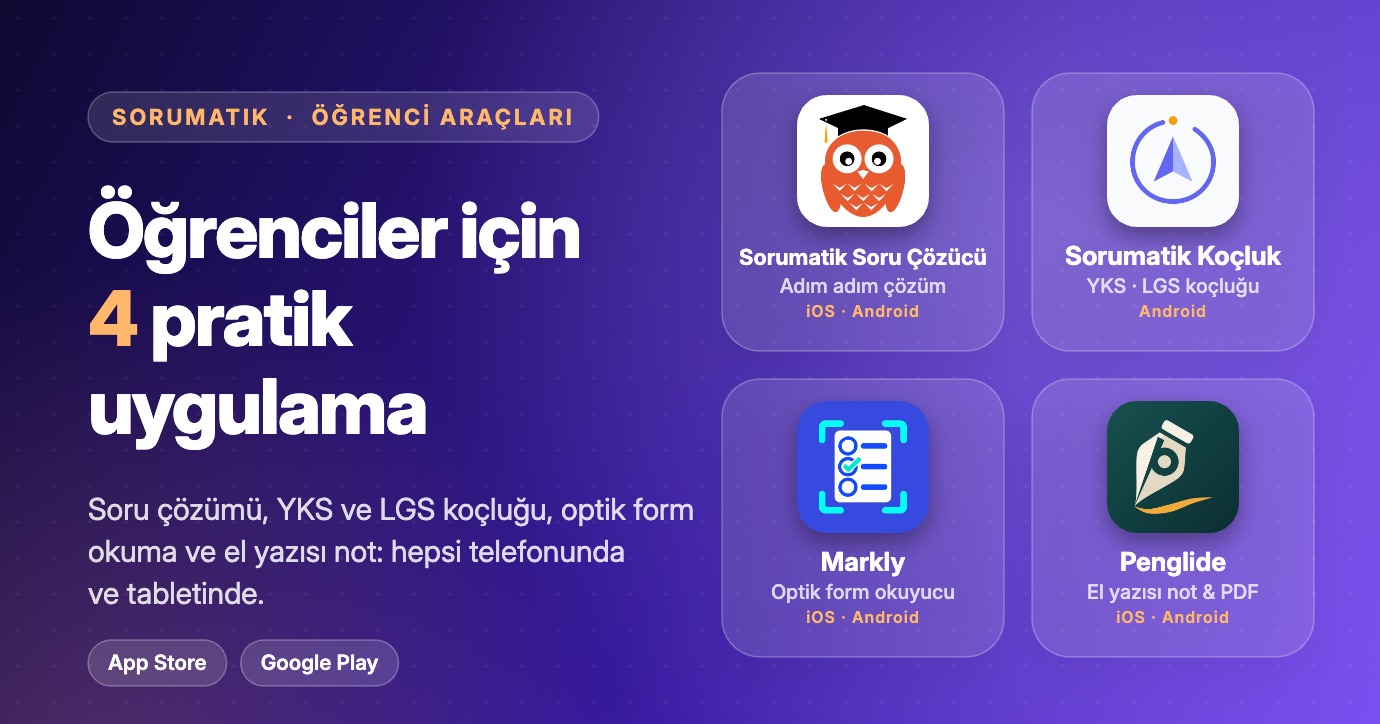
Ödev, sınav hazırlığı ve not tutma aynı anda üst üste biner. Bunları karşılayan dört uygulama geliştirdim: adım adım çözüm için Sorumatik: AI Soru Çözücü, ders programı ve deneme analizi için Sorumatik: YKS LGS AI Koçluk, optik form tarayıp net hesaplamak için Markly, el yazısı not ve PDF işaretleme için Penglide. Bu yazıda her birinin ne yaptığını ve nereden indirileceğini kısaca anlatıyorum.
Hangi uygulama ne işe yarar?
| Uygulama | Ne için kullanılır? | iPhone / iPad | Android |
|---|---|---|---|
| Sorumatik: AI Soru Çözücü | Soruyu kamerayla tara veya yaz, net ve adım adım çözümü takip et; yapay zekâ çalışma araçları ve canlı çalışma odaları | App Store | Google Play |
| Sorumatik: YKS LGS AI Koçluk | YKS (TYT-AYT) ve LGS için yapay zekâ ders programı, sesli koçluk ve deneme analizi | — | Google Play |
| Markly - Test Optik Okuyucu | Optik formları kamerayla taramak, cevap anahtarına göre doğru, yanlış, boş ve net sonuçlarını görmek | App Store | Google Play |
| Penglide: Not, PDF, Özel Ders | El yazısı not almak ve PDF işaretlemek; online derste ders anlatım kalemi | App Store | Google Play |
Sorumatik: AI Soru Çözücü
Sorumatik, ödev ve sınavlarda yanında olan yapay zekâ destekli çalışma arkadaşın. Soruyu kamerayla tara veya yaz; yöntemi anlayabilmen için net, adım adım çözümü takip et.
Öne çıkanlar
- Tara & çöz: Çift OCR el yazısını, formülleri ve geometri çizimlerini tanır. Çözümün açık LaTeX gösterimiyle tahtaya yazılışını canlı takip edersin.
- Sesli AI tahta: Çözüm adımlarını AI Tahta üzerinde görürken sesli anlatım fikri açıklar. Vektör geometri çizimleri ve kişisel not alanı da var.
- 8 güçlü AI çalışma aracı: Quiz, flashcard, ders, tablo, kompozisyon, zihin haritası, infografik ve yazılı sınav oluştur. Yazılı sınavlarda AI destekli otomatik değerlendirmeyle ilerlemeni takip et.
- Canlı çalışma odaları: Arkadaşlarınla canlı odalarda çalış. Pomodoro sayaçları, ambiyans sesleri ve canlı üye durumuyla odağını koru.
- Tüm dersler, tüm sınavlar: Matematik, fizik, kimya, biyoloji, diller ve daha fazlası. LGS, TYT, AYT, YKS ve okul sınavlarına hazırlan.
- Çalışma planı & ilerleme: Kişisel plan oluştur, hedeflerini takip et ve analizlerle gelişimini gör.
- Topluluk & akıllı eşleştirme: Soruları toplulukla paylaş, benzer soruları bul ve alternatif çözüm yollarını keşfet.
- Çok dilli destek: Türkçe, İngilizce, İspanyolca, Hintçe ve Endonezce kullanılabilir.
Temel özelliklerle ücretsiz başlayabilirsin. Premium daha yüksek kullanım limitleri ve seçili gelişmiş özelliklere erişim sunar; koşullar ve limitler uygulamada gösterilir. AI tarafından oluşturulan içerikler hata içerebilir; önemli bilgileri ders materyallerinle doğrula.
- iPhone / iPad: App Store’dan indirin
- Android: Google Play’den indirin
Sorumatik: YKS LGS AI Koçluk
YKS (TYT-AYT) ve LGS’ye hazırlanan öğrenciler için yapay zekâ destekli koçluk uygulaması. Seviyene, eksiklerine ve hedefine göre ders programı hazırlar ve güncel tutar. Tüm özelliklerin ayrıntılı anlatımı için: Sorumatik Yapay Zeka Koçluk & Ders Programı paylaşımı.
Öne çıkanlar
- Yapay zekâ ders çalışma planı: Seviyene, eksiklerine ve hedeflediğin bölüme göre her an güncellenen program. Hangi gün ne kadar çalışman gerektiğini Pusula AI belirler.
- Stüdyo sesli koçluk (Pusula AI): Motivasyon ve çalışma stratejisi için gerçekçi yapay zekâ sesli koçluk, 7/24.
- Deneme analizi & karne okuma (OCR): TYT, AYT veya LGS denemelerinin sonuç karnesini kameranla tara; netlerin, doğru/yanlış sayıların saniyeler içinde aktarılır ve konu bazlı eksik analizi önüne gelir.
- Akıllı hata defteri: Yapamadığın, boş bıraktığın veya yanlış çözdüğün soruların fotoğrafını çekip kaydet; sınav öncesi bakacağın bir soru arşivi oluştur.
- Canlı çalışma masaları: Senin gibi sınava hazırlanan öğrencilerle sanal kütüphane ortamında Pomodoro tekniğiyle odaklanarak çalış.
- Taban puan robotu: ÖSYM ve MEB verileriyle üniversite, fakülte veya fen/anadolu liselerinin geçmiş yıl sıralamalarını ve taban puanlarını incele.
- Pomodoro ve süre takibi: Ders bazlı net çalışma süreni ölç; günlük ve haftalık raporlarla gelişimini izle.
Kimler için? YKS (TYT, AYT, YDT) adayları, LGS hazırlık öğrencileri, 9, 10 ve 11. sınıf öğrencileri ve ders çalışma disiplinini artırmak isteyen herkes.
- Android: Google Play’den indirin
- iOS: henüz yok.
Markly: Test Optik Okuyucu
Markly, telefonunun kamerasını optik form okuyucuya çevirir. Asıl olarak öğretmenlerin sınav değerlendirmesine yardım için geliştirildi; ama optik formla deneme çözüyorsan sen de işine yarar: formu tara, cevap anahtarını aktar, doğru, yanlış, boş ve net sonuçlarını hemen gör.
Öne çıkanlar
- Kamerayla tarama: Optik formu canlı olarak okur ve cevap alanlarını kendiliğinden bulur. Galeriden görsel de seçebilirsin.
- Cevap anahtarı aktarma: Cevap anahtarını kamerayla (OCR) ya da dosyadan içeri al.
- Onaylamadan önce kontrol: Belirsiz veya çift işaretli cevapları sonuç kesinleşmeden gözden geçir.
- Net hesaplama: Farklı net hesaplama kuralları ve kitapçık seçenekleri desteklenir.
- Rapor ve şablon: PDF rapor ile optik form şablonu oluşturup paylaşabilir ve yazdırabilirsin.
- Yedekleme: Yerel verilerini yedekleyip gerektiğinde geri yükleyebilirsin.
Form tarama, OCR ve temel değerlendirme internet olmadan cihazda çalışır. Yapay zekâ özellikleri internet ister; AI ile analiz etmeyi seçtiğin görseller yalnızca açık onayınla Google Gemini’ye gönderilir. Markly ücretsizdir.
- iPhone / iPad: App Store’dan indirin
- Android: Google Play’den indirin
Penglide: Not, PDF, Özel Ders
Penglide, el yazısıyla not almak, PDF işaretlemek ve online özel ders anlatmak için tasarlanmış bir not defteri uygulaması. Öğrenci için tablette elle yazabileceğin, test kitapçıklarını ve çalışma kâğıtlarını işaretleyebileceğin, her şeyi düzenli tutabileceğin bir yer.
Öne çıkanlar
- El yazısı not: Tükenmez, dolma kalem, kurşun kalem, fosforlu kalem, kaligrafi ve sulu boya dahil 17 kalem ve fırça. Silgi, kement ile seçme, taşıma, döndürme ve boyutlandırma.
- Sayfa şablonları: Düz çizgili, kareli, noktalı, müzik ve kendi kaydettiğin şablonlar. Geometrik şekiller, katmanlar, metin kutuları, görseller ve tablolar. Dijital defter ya da sonsuz tuval.
- PDF işaretleme: Kitap, test ve çalışma kâğıtlarını içe aktarıp üzerine yaz. Kenar boşluklarını genişlet; metni seçilebilir PDF olarak dışa aktar.
- Düzenli kal: Renkli klasörler, etiketler ve favoriler. Başlıkta, yazılı metinde ve PDF içeriğinde arama (el yazısının içinde arama yapmaz). Yazınla birlikte oynatılan sesli not.
- Online derste ders anlatım kalemi: Ekranını paylaşırken kalem biçimli işaretçi nereyi gösterdiğini ve nereye yazdığını karşı tarafa gösterir. Lazer işaretçi, ders zamanlayıcısı ve cevabın üzerini kapatıp dokununca açan çalışma bandı da var.
- Gizlilik: Hesap gerekmez, internetsiz çalışır, reklam ve izleme yok. Notların sunucuya gönderilmez. Şifreli defterler ve kilitli notlar var.
Penglide tablet için tasarlandı, telefonda da çalışır. Android’de ders anlatım kalemi, ekrana değmeden algılanan aktif kalem ister.
- iPhone / iPad: App Store’dan indirin
- Android: Google Play’den indirin
Sık sorulan sorular
Hangi uygulamayla başlamalıyım?
Bir soruda takıldıysan Sorumatik: AI Soru Çözücü ile başla. YKS veya LGS için program ve deneme analizi istiyorsan AI Koçluk’u kullan. Optik formla deneme çözüyorsan netlerini görmek için Markly’yi kullan. Tablette not tutuyor veya PDF üzerinde çalışıyorsan Penglide işine yarar.
Uygulamalar hem iPhone’da hem Android’de var mı?
Sorumatik: AI Soru Çözücü, Markly ve Penglide iPhone, iPad ve Android’de; Sorumatik: YKS LGS AI Koçluk Android’de bulunur.
İnternetsiz çalışıyorlar mı?
Penglide internetsiz çalışır. Markly’de form tarama, OCR ve temel değerlendirme cihazda yapılır; yapay zekâ özellikleri internet ister. Diğer iki uygulamanın yapay zekâ özellikleri internet bağlantısı ister.
Öğretmenim, bana göre bir şey var mı?
Var: Öğretmenler İçin 5 Pratik Uygulama.
Tüm uygulamalarımız
- Google Play geliştirici sayfası: play.google.com/store/apps/dev?id=5557399811267718893
- App Store geliştirici sayfası: apps.apple.com/tr/developer/ismail-ozkan/id1493017325
English
4 Practical Apps for Students: Sorumatik AI Solver, AI Study Coach, Markly and Penglide
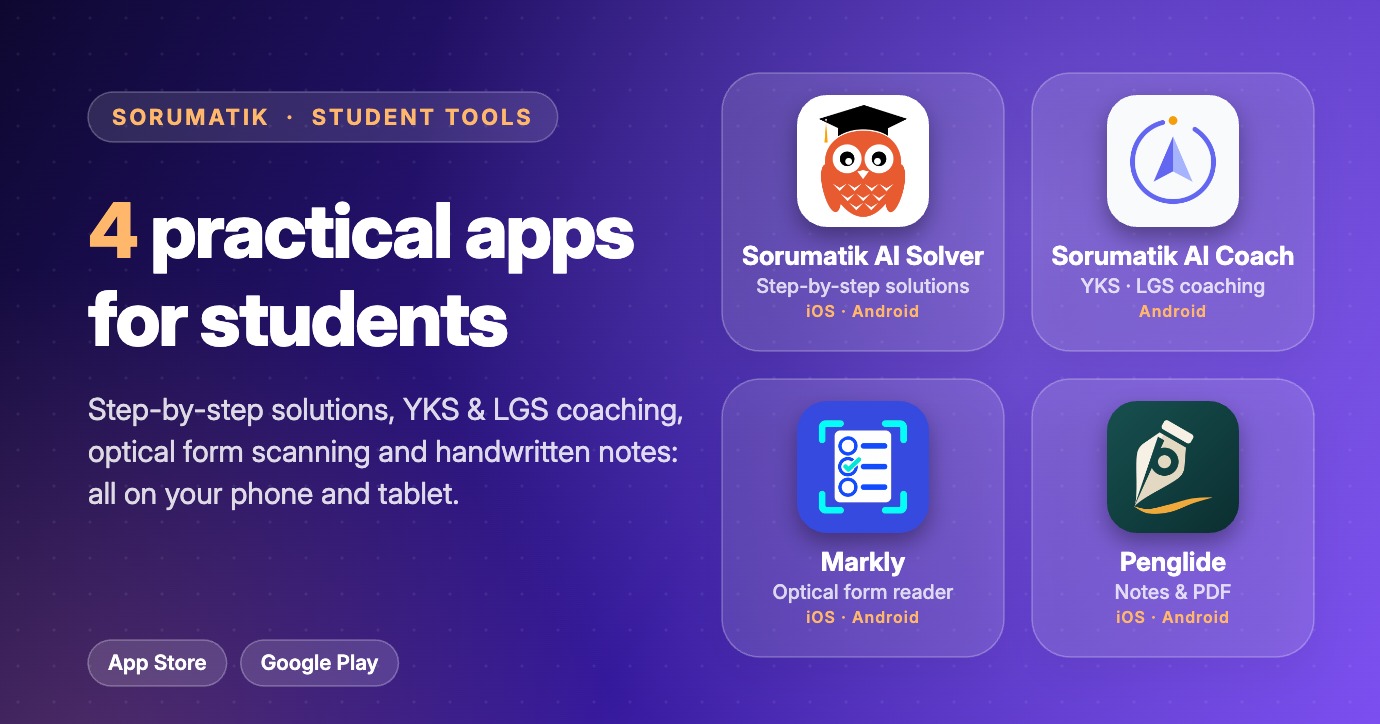
Homework, exam prep and note-taking all pile up at once. I built four apps that cover them: Sorumatik: AI Question Solver for step-by-step solutions, Sorumatik: YKS LGS AI Coach for study plans and practice-exam analysis, Markly for scanning optical answer forms and calculating nets, and Penglide for handwritten notes and PDF marking. Here is what each one does and where to download it.
Which app is for what?
| App | What is it for? | iPhone / iPad | Android |
|---|---|---|---|
| Sorumatik: AI Question Solver | Scan or type a question and follow a clear, step-by-step solution; AI study tools and live study rooms | App Store | Google Play |
| Sorumatik: YKS LGS AI Coach | AI study plan, voice coaching and practice-exam analysis for YKS (TYT-AYT) and LGS | — | Google Play |
| Markly: Test Optical Reader | Scan optical answer forms with your camera, check them against an answer key and see correct, wrong, blank and net | App Store | Google Play |
| Penglide: Notes, PDF, Tutoring | Handwritten notes and PDF marking, with a pen pointer for online lessons | App Store | Google Play |
Sorumatik: AI Question Solver
Sorumatik is an AI study companion for homework and exams. Scan a question with the camera or type it, then follow a clear step-by-step solution so you understand the method, not just the answer.
Highlights
- Scan & solve: Dual OCR reads handwriting, formulas and geometry figures. Watch the solution being written on the board in clear LaTeX.
- Voice AI board: See the solution steps on the AI board while a voiced explanation walks you through the idea. Vector geometry drawings and a personal note area are included.
- 8 AI study tools: Create quizzes, flashcards, lessons, tables, essays, mind maps, infographics and written exams. AI-assisted grading on written exams helps you track progress.
- Live study rooms: Study with friends in live rooms, with Pomodoro timers, ambient sounds and live member status.
- All subjects, all exams: Maths, physics, chemistry, biology, languages and more, for LGS, TYT, AYT, YKS and school exams.
- Study plan & progress: Build a personal plan, track your goals and see your progress in analytics.
- Community & smart matching: Share questions with the community, find similar questions and discover alternative solution paths.
- Multilingual: Available in Turkish, English, Spanish, Hindi and Indonesian.
You can start for free with the core features. Premium adds higher usage limits and some advanced features; terms and limits are shown in the app. AI-generated content can contain mistakes, so check important information against your course material.
- iPhone / iPad: Download on the App Store
- Android: Get it on Google Play
Sorumatik: YKS LGS AI Coach
An AI coaching app for students preparing for YKS (TYT-AYT) and LGS. It builds a study plan from your level, your weak spots and your target, and keeps it up to date. For the full feature walkthrough, see the Sorumatik AI Study Coach & Planner post.
Highlights
- AI study plan: A schedule that updates with your level, gaps and target program. Pusula AI works out how much to study each day.
- Studio voice coaching (Pusula AI): Realistic AI voice coaching for motivation and study strategy, any time.
- Practice-exam analysis & report-card OCR: Scan the result sheet of a TYT, AYT or LGS practice exam with your camera. Your nets and correct/wrong counts are imported in seconds, with a topic-level gap analysis.
- Smart mistake notebook: Photograph questions you got wrong or left blank and build a question archive to review before the exam.
- Live study desks: Focus with other exam-prep students in a virtual library using the Pomodoro technique.
- Base-score bot: Check past rankings and base scores of universities, faculties and science/Anatolian high schools, using ÖSYM and MEB data.
- Pomodoro & time tracking: Measure study time per subject with daily and weekly reports.
Who is it for? YKS candidates (TYT, AYT, YDT), LGS students, grades 9–11, and anyone who wants more study discipline.
- Android: Get it on Google Play
- iOS: not available yet.
Markly: Test Optical Reader
Markly turns your phone camera into an optical form reader. It was built mainly to help teachers grade exams, but it works just as well when you solve practice tests on optical forms and want your result right away: scan the form, import the answer key, and see your correct, wrong, blank and net numbers.
Highlights
- Camera scanning: Reads an optical form live and finds the answer areas automatically. You can also pick an image from the gallery.
- Answer key import: Bring in an answer key with the camera (OCR) or from a file.
- Check before you confirm: Review unclear or double-marked answers before the result is final.
- Net calculation: Different net-calculation rules and booklet options are supported.
- Reports and templates: Create, share and print PDF reports and optical form templates.
- Backup: Back up your local data and restore it when needed.
Form scanning, OCR and basic grading work offline on the device. The AI features need an internet connection, and images you choose to analyse with AI are sent to Google Gemini only with your explicit consent. Markly is free.
- iPhone / iPad: Download on the App Store
- Android: Get it on Google Play
Penglide: Notes, PDF, Tutoring
Penglide is a notebook app for handwritten notes, PDF marking and online tutoring. For students it is a place to write by hand on a tablet, mark up test booklets and worksheets, and keep everything organised.
Highlights
- Handwritten notes: 17 pens and brushes, including ballpoint, fountain pen, pencil, highlighter, calligraphy and watercolour. Eraser, lasso selection, move, rotate and resize.
- Page templates: Ruled, grid, dotted, music and more, plus templates you save yourself. Shapes, layers, text boxes, images and tables. Choose a digital notebook or an infinite canvas.
- PDF marking: Import books, tests and worksheets and write on them. Widen the margins for extra notes, and export a PDF with selectable text.
- Stay organised: Coloured folders, tags and favourites. Search titles, typed text and PDF content (not inside handwriting). Voice notes play back together with your writing.
- Pen pointer for online lessons: When you share your screen, a pen-shaped pointer shows where you point and write. It comes with a laser pointer, a lesson timer and a working band that hides an answer until you tap it.
- Privacy: No account needed, works offline, no ads and no tracking. Your notes are not sent to a server. Encrypted notebooks and locked notes are available.
Penglide is designed for tablets and also works on phones. On Android the pen pointer needs an active pen that is detected without touching the screen.
- iPhone / iPad: Download on the App Store
- Android: Get it on Google Play
Frequently asked questions
Which app should I start with?
If you are stuck on a question, start with Sorumatik: AI Question Solver. If you want a plan and exam analysis for YKS or LGS, use the AI Coach. If you solve practice tests on optical forms, use Markly to get your nets. If you take notes on a tablet or work on PDFs, use Penglide.
Are the apps available on both iPhone and Android?
Sorumatik: AI Question Solver, Markly and Penglide are on iPhone, iPad and Android. Sorumatik: YKS LGS AI Coach is on Android.
Do they work without internet?
Penglide works without internet. In Markly, form scanning, OCR and basic grading work on the device; its AI features need internet. The AI features of the other two apps need an internet connection.
I am a teacher. Is there something for me?
Yes: 5 Practical Apps for Teachers.
All our apps
- Google Play developer page: play.google.com/store/apps/dev?id=5557399811267718893
- App Store developer page: apps.apple.com/tr/developer/ismail-ozkan/id1493017325